
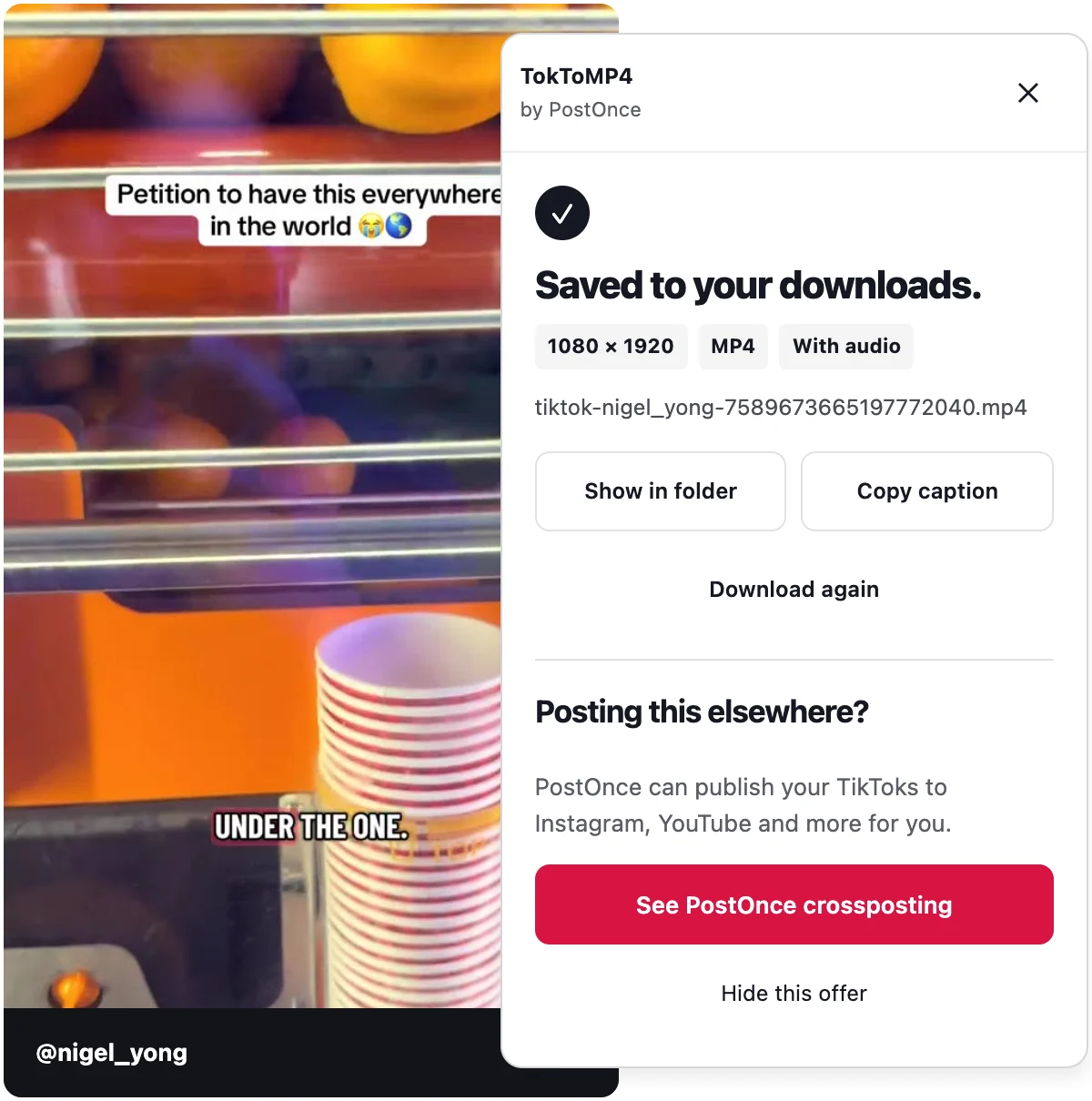
What the TikTok downloader extension does
Install it, open tiktok.com in Chrome and browse as usual. Every post gets a Download button next to it. Click it and a small panel shows the progress. When the file is ready, the panel says "Saved to your downloads." along with the exact resolution.
You never leave TikTok, and you never copy or paste a link.
It saves
- Videos, up to 1080p when TikTok serves it, paired with the post's best audio
- Photo posts and slideshows, with every image numbered in order
- Captions, with a one-click copy button
Why a TikTok downloader for Chrome beats a website
We also run a paste-a-link web tool, and it is handy on a phone. On a computer, the extension is the better choice for most people.
No daily limit
The web tool runs on our servers, so it has a daily limit. The extension runs in your own browser, so it has none.
Fewer steps
Click Download beside the post. That is it. No switching tabs, no pasting.
No re-encoding
The extension saves the file TikTok serves. When TikTok sends the picture and the sound separately, the extension combines them in your browser into one MP4. Nothing is compressed a second time.
Sign-in is optional
You can use the extension without signing in to TikTok. Signing in is up to you.
How to install it
- Click Add to Chrome. This opens TokToMP4 in the Chrome Web Store.
- Press "Add to Chrome" in the store and confirm.
- Open tiktok.com.
- Find a video and click the Download button beside it.
There is no account to create and nothing to set up.
Using it as a TikTok video downloader Chrome extension
Most people install a TikTok video downloader Chrome extension to save clips for later. Here is what to expect.
Quality is up to 1080p when TikTok serves it. If a video is only available at a lower resolution, you get the best version TikTok offers. The extension shows the exact resolution when each download finishes, so you always know what you got.
Sound is always paired with the post's best audio. If the video and audio come as separate streams, the extension joins them in the browser, so the file plays like the original.
For a full step-by-step walkthrough, see how to download TikTok videos on PC.
Photo posts and slideshows
TikTok photo posts and slideshows are sets of images rather than a single video. Click Download beside one and the extension saves every image, numbered in order. If you also want the soundtrack, the web tool returns it as an audio file.
Read more on the TikTok photo downloader and TikTok slideshow downloader pages.
Where the TikTok downloader Chrome extension works
It works in desktop Chrome on Windows, Mac and other computers that run Chrome. It also works in other Chromium browsers that install extensions from the Chrome Web Store.
It does not work on phones. On a phone or tablet, use the paste-a-link web tool on the TokToMP4 home page. It works on any device for public posts, including vm.tiktok.com short links.
Privacy and responsible use
The extension is free and needs no account. There is no usage tracking. Downloads go to your computer's downloads folder, and nothing is uploaded.
Only download videos you own or have permission to reuse.
What it does not do
- Download TikTok Stories
- Download LIVE videos
- Download whole profiles, or many videos at once
- Download private posts you cannot open yourself
Troubleshooting
TikTok asks me to prove I am human
TikTok sometimes shows a human check. Complete it on TikTok yourself, then press Try again in the panel. The extension never solves or skips these checks.
The post was removed or is private
The extension tells you clearly. If the post is gone, or you cannot open it, there is nothing to save.
The connection dropped
If your connection drops during a download, press Retry.
I do not see the Download button
Check that you are on tiktok.com in desktop Chrome or a Chromium browser, and that the extension is turned on. Then reload the page.
TokToMP4 is made by PostOnce. It is an independent tool and is not affiliated with TikTok or ByteDance.